AI CRM Integration for Maintenance Requests
AI CRM Integration for Maintenance Requests
Managing maintenance requests is simpler and faster with AI-powered CRM integration. Property managers can now automate request handling, prioritize urgent issues, and improve tenant communication - all while saving time and reducing errors. Here's what you need to know:
- AI systems process maintenance requests automatically, categorizing and routing them to the right teams.
- CRM integration creates a centralized hub for tracking requests, tenant details, and repair histories.
- Tools like Oppy offer 24/7 assistance, prioritizing urgent tasks and updating records in real-time.
- Predictive maintenance helps avoid costly breakdowns by identifying potential issues early.
- Tenants benefit from transparent communication, automated updates, and faster resolutions.
Build an AI CRM Agent With Make.com (Learn AI Automations)
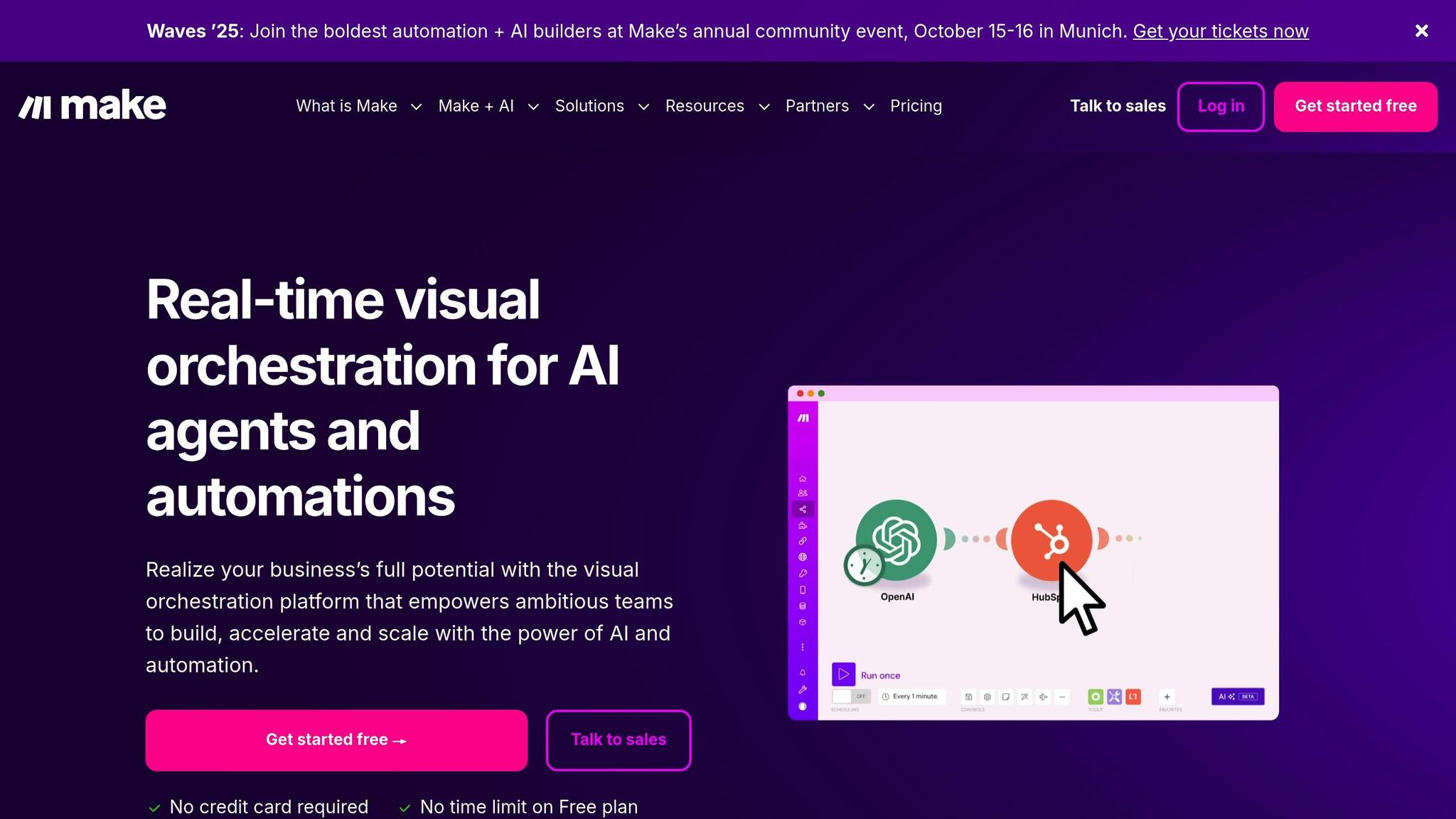
::: @iframe https://www.youtube.com/embed/k302INmBCug :::
Main Benefits of AI CRM Integration for Maintenance Requests
Integrating AI with CRM systems brings a new level of efficiency and effectiveness to property management. It goes beyond basic automation, streamlining maintenance operations, cutting costs, and improving tenant satisfaction.
Improved Operational Efficiency
AI integration takes the hassle out of manual processes that often slow down property management teams. For example, when a tenant reports an issue like a leaky faucet, the AI steps in immediately. It categorizes the request, checks the property's maintenance history, and assigns the job to the most suitable contractor based on their availability and expertise.
By automating data entry, the system minimizes errors, which means fewer callbacks and quicker resolutions. Urgent issues, such as heating failures or water leaks, are flagged immediately and routed to emergency contractors, while non-urgent tasks like minor repairs are scheduled during regular hours. This smart prioritization ensures critical problems are addressed without disrupting the workflow for routine maintenance.
The integration also automates key processes like request routing, work order creation, and contractor assignments. By reducing human error and streamlining task management, property managers can resolve maintenance requests faster and with greater accuracy.
Predictive Maintenance Capabilities
AI doesn't just help with day-to-day operations; it also enables proactive maintenance by analyzing historical data. The system identifies patterns that signal potential equipment failures, such as repair cycles, seasonal trends, and usage rates. For instance, HVAC systems that require servicing every six months are automatically scheduled for maintenance, reducing the chance of breakdowns during peak seasons.
Catching issues early saves money. Replacing a small part, like a worn belt in an HVAC unit, is far less expensive than dealing with a full system failure. AI helps property managers pinpoint these cost-saving opportunities by tracking repair histories and flagging equipment that shows signs of wear.
AI also recognizes seasonal trends, which aids in resource planning. For example, properties in colder regions often experience more heating-related issues in the winter. By analyzing this data, the system ensures adequate contractor availability and parts inventory, minimizing tenant downtime and emergency costs.
On top of that, data-driven insights make budgeting more accurate. Instead of estimating annual maintenance expenses, property managers receive forecasts based on real equipment lifecycles and past spending. This helps with both day-to-day planning and long-term investment decisions, adding an extra layer of precision to operational management.
Enhanced Tenant Communication and Satisfaction
AI integration doesn't just improve efficiency - it also strengthens tenant relationships by making communication seamless. Tenants can submit maintenance requests anytime, thanks to 24/7 availability, and receive instant confirmation that their issue is being addressed. The system also provides realistic timelines for repairs and keeps tenants updated throughout the process.
Automated notifications eliminate the need for follow-up calls. Whether a contractor has been dispatched, completed a job, or needs to reschedule, tenants are kept in the loop. This level of transparency reduces frustration and builds trust between tenants and property managers.
The system also personalizes communication by using tenant preferences and history stored in the CRM. It knows which tenants prefer texts over emails, who has specific scheduling needs, and which units have recurring problems. By tailoring communication and service delivery, property managers can meet individual tenant expectations more effectively.
Quick and professional resolution of maintenance issues leads to better tenant retention. Properties with efficient maintenance systems often see lower turnover rates, as tenants feel their concerns are addressed promptly. Retaining tenants is far more cost-effective than finding and screening new ones, making this a key advantage for property managers.
The integration also opens doors for proactive communication. For example, if the system detects an aging water heater that might fail soon, property managers can notify tenants in advance and schedule a convenient time for replacement. This not only prevents emergencies but also shows tenants that their comfort and safety are priorities.
Key Steps for Successful Integration
Getting AI-driven maintenance handling to work seamlessly with your CRM requires thoughtful planning and execution. Success hinges on aligning technology, preparing your team, and selecting the right processes to tackle first.
Check System Compatibility and Data Alignment
Start by ensuring your CRM, property management software, and maintenance workflows can communicate effectively. This means verifying both technical compatibility and data consistency.
Document your current data structure. For example, your CRM might use fields like "Tenant Name" and "Unit Number", while your maintenance platform might rely on "Resident" and "Property ID." To bridge these gaps, create a detailed data dictionary that standardizes field names, formats, and definitions across systems.
Next, confirm API compatibility. Work with your IT team or an integration specialist to verify endpoints, authentication protocols, and data formats. Address data quality issues by merging duplicate records, standardizing addresses, and filling in any missing required fields.
Finally, decide on a synchronization schedule. Strive for a balance between real-time updates for urgent requests and periodic batch processing for routine changes.
User Training and Adoption
Even the most advanced technology won't succeed without proper team buy-in and training. Your employees need the tools and knowledge to take full advantage of AI-powered solutions.
"Invest in in-depth training courses to provide your employees the know-how to use AI products efficiently. Additionally, it is crucial to cultivate a positive mindset regarding the deployment of AI. Employees should understand the benefits of AI and support the integration process. This buy-in ensures a smoother transition and maximizes the ROI on AI investments."
Begin training before the system goes live. Property managers and maintenance coordinators should understand how AI categorizes requests, sets priorities, and routes work orders. Use real-world examples - like automatically scheduling follow-up inspections or identifying recurring issues - to illustrate how the system simplifies daily tasks.
Reassure your team that AI is there to handle repetitive tasks, freeing them to focus on more complex challenges and tenant relationships. Stress that AI is designed to support their roles, not replace them.
Provide accessible training materials, such as step-by-step guides, troubleshooting tips, and escalation procedures for situations requiring human input. Set up ongoing support channels, like weekly check-ins during the first month, a dedicated Slack channel for quick questions, or monthly sessions to review updates and share best practices.
Once your team is comfortable and workflows are prioritized, you can move forward with confidence in the technical integration.
Start with High-Impact Processes
Instead of trying to automate everything at once, focus on processes where AI can immediately reduce workload and improve response times.
Start with workflows that deliver quick wins, such as emergency request routing or routine maintenance scheduling. For example, an urgent heating failure can trigger an immediate contractor dispatch, while routine services are scheduled based on historical data.
AI can also send automatic confirmations when a request is logged, provide realistic timelines based on contractor availability, and issue updates once work is completed. This reduces the administrative load on property managers while keeping tenants informed.
Begin with one workflow, monitor its performance, and then expand. For instance, start with emergency request routing, track metrics like response times and tenant satisfaction over a few months, and then move on to automating routine maintenance scheduling once the initial workflow is running smoothly.
These steps lay the groundwork for a structured integration process, setting the stage for the next phase of implementation.
sbb-itb-a4dc1bd
How to Implement AI CRM Integration
To move from planning to a fully functional system, follow these steps to seamlessly integrate AI with your CRM platform.
Step-by-Step Integration Process
This process transforms your initial planning into a system that bridges AI-driven maintenance management with your CRM.
Define Clear Business Objectives
Start by pinpointing measurable goals, like reducing response times or improving tenant satisfaction. Collaborate with key players - property managers, maintenance teams, and tenant relations staff - to identify inefficiencies that AI can address directly.
Assess Your CRM's Technical Capabilities
Ensure your CRM supports API integrations or has native AI features. Reach out to your CRM provider for documentation on endpoints, authentication methods, and data formats to guide your technical setup.
Research and Evaluate Integration Tools
Compare tools based on features, pricing, scalability, security, and onboarding support. Look at case studies, and don’t hesitate to request demos using your own data to see how well the tools align with your needs.
Run a Pilot Program
Start small by testing the integration on one property or a specific maintenance category. Track key metrics like response times, categorization accuracy, and user satisfaction. Use these results to fine-tune the system before rolling it out more broadly.
Choose the integration method that best matches your available resources and operational demands.
Integration Approach Comparison
When deciding how to integrate AI with your CRM, it’s important to weigh the pros and cons of each method. Here’s a quick breakdown:
| Integration Type | Pros | Cons | Best For |
|---|---|---|---|
| Pre-built Connectors | Quick to set up, requires minimal technical expertise, lower upfront costs | Limited customization, may not handle unique workflows, ongoing subscription fees | Small to medium properties with standard processes and limited IT resources [2][3] |
| Custom Integration | Fully tailored to your needs, complete control over functionality, handles complex workflows | Higher costs, longer setup time, requires technical expertise | Large portfolios or operations with unique processes [2] |
| Hybrid Approach | Combines efficiency with some customization, adaptable over time | More planning needed, potential compatibility issues, moderate cost | Growing businesses with diverse needs and mixed property types |
Pre-built connectors are ideal for quick deployment when your workflows align with industry norms. On the other hand, custom integrations offer unmatched flexibility for businesses with unique needs but demand greater investment.
Customize AI Assistant Workflows
Maximize the benefits of AI integration by tailoring workflows to fit your maintenance requirements.
Set Up Response Templates and Escalation Protocols
Develop AI-generated responses that reflect your brand’s tone. For routine requests, use templates that confirm receipt, offer realistic timelines, and explain next steps. For emergencies, create escalation paths that bypass standard queues and notify on-call staff immediately. Define triggers for escalation, such as the request type, tenant history, or urgency.
Design Notification Workflows
Create streamlined notification sequences for property managers and tenants. Keep updates concise and relevant. Automated follow-ups can check tenant satisfaction after work is completed or schedule preventive maintenance based on equipment age or use.
Enable Learning and Adaptation Features
Configure your AI assistant to learn from past resolutions. For example, track which contractors consistently perform well for certain repairs or identify seasonal trends to schedule maintenance proactively. By adapting its communication style - offering detailed updates for some tenants and brief summaries for others - the AI can cater to different preferences, boosting tenant satisfaction over time.
Customizing workflows ensures smooth operations, creating a system that not only meets immediate needs but also evolves to provide long-term value.
Practical Applications and Use Cases
AI integration into CRM systems is reshaping maintenance operations. It takes over repetitive tasks like managing requests, optimizes scheduling, and helps property managers take a more proactive approach to service.
Automate Maintenance Request Management
AI simplifies how property managers handle maintenance requests by automatically capturing, categorizing, and routing them. Whether tenants submit their requests via phone, email, or online portals, the AI system processes each one, assigns priority levels, and ensures the right team gets the job.
Intelligent Scheduling and Resource Allocation
AI tools excel at matching maintenance requests with technicians who are available and qualified, cutting out delays caused by back-and-forth communication. By centralizing all service requests in one platform, these systems let property managers track everything - from tenant histories to warranty claims and compliance requirements - all in one place [4][5]. This streamlined process not only saves time but also boosts efficiency across operations.
Improve Key Performance Metrics
Efficient request management leads to measurable improvements in areas like tenant satisfaction and cost savings.
Tenant Satisfaction and Retention
Quick responses and clear communication are key to happy tenants. AI systems send automatic confirmations as soon as a request is submitted, set realistic timelines for resolution, and keep tenants updated throughout the process. This transparency reduces frustration and limits the number of follow-up inquiries, improving the overall tenant experience.
Operational Cost Reduction
By automating repetitive tasks like data entry and scheduling, AI reduces administrative costs. It also spots recurring issues, allowing property managers to address root causes instead of just fixing surface-level problems. This means staff can focus on more complex challenges and strategic improvements. With AI handling routine tasks like ticket assignments and scheduling [4][5], teams can dedicate their time to higher-priority projects.
How Oppy Streamlines Workflows
Oppy takes these benefits to the next level by integrating AI-powered virtual assistants directly into CRM systems, creating a seamless maintenance management solution.
CRM Integration and Data Synchronization
Oppy automatically updates CRM records with key details like maintenance requests, appointment schedules, and resolution statuses. This real-time syncing eliminates the need for manual data entry, ensuring property managers always have up-to-date information at their fingertips.
Compliance and Documentation
Every interaction is documented by Oppy, which simplifies compliance reporting and warranty claims. By tracking things like response times, resolution methods, and tenant feedback, property managers gain valuable insights to fine-tune their processes and improve performance.
Conclusion: Improve Efficiency with AI CRM Integration
AI-powered CRM systems are reshaping the way property managers handle maintenance requests, turning what was once a tedious, manual process into a streamlined, automated operation. By automatically capturing, categorizing, and routing requests, these systems help eliminate delays and inefficiencies.
With faster response times and more transparent communication, property managers see improvements in tenant satisfaction. At the same time, operational costs decrease as staff can focus on more strategic responsibilities instead of routine data entry. Some AI-driven systems even provide predictive insights, enabling managers to address recurring problems before they grow into larger issues. This level of efficiency opens the door to better digital support and smoother operations.
Oppy's CRM integration takes these benefits a step further by seamlessly working with existing systems. Maintenance requests are tracked and managed continuously, ensuring no issue is overlooked, no matter when it’s reported.
By simplifying workflows and cutting costs, AI integration offers property managers a clear advantage in a competitive market. For those aiming to modernize their operations, this technology enables better service delivery through automated workflows, intelligent scheduling, and transparent record-keeping. It’s a game-changer that manual processes simply can’t match.
Looking ahead, properties adopting AI-driven maintenance management will deliver enhanced tenant experiences and reduced costs. Meanwhile, those sticking to outdated manual methods may find it increasingly difficult to meet the demands of today’s market.
FAQs
::: faq
How does integrating AI with a CRM system make handling maintenance requests more efficient?
Integrating AI into a CRM system simplifies how maintenance requests are handled by automating tasks like creating tickets, assigning them to the right team, and tracking their progress. This not only cuts down on manual effort but also reduces the chance of errors, keeping workflows more organized.
AI-driven tools also offer real-time monitoring, allowing teams to address urgent requests promptly and prioritize tasks with ease. Features like automated reminders and SLA tracking help ensure tasks are completed on schedule, leading to quicker resolutions and smoother operations. :::
::: faq
How can I successfully integrate AI-powered maintenance management with my CRM system?
To bring AI-powered maintenance management into your CRM system effectively, begin by setting specific goals. For instance, you might aim to automate scheduling or streamline how issues are resolved. Before diving in, take a close look at your CRM's existing features and ensure your data is both accurate and well-structured - this is essential for AI to provide meaningful insights.
Next, select AI tools that match your needs and roll them out gradually, starting with small pilot projects. This phased approach helps ease the transition. Make sure your team receives thorough training to feel confident using the new tools. Lastly, keep an eye on key performance indicators (KPIs) like issue resolution times and system accuracy. These metrics will help you gauge progress and fine-tune the system as needed to get the best results. :::
::: faq
How does integrating AI-powered predictive maintenance with a CRM system help reduce costs and prevent equipment failures?
Integrating AI-driven predictive maintenance with a CRM system offers businesses a smart way to cut costs and sidestep equipment failures. By leveraging advanced data analysis, potential issues can be spotted early, paving the way for timely repairs and maintenance. This helps prevent unexpected breakdowns and reduces expensive downtime.
By tackling problems before they grow, companies can lower repair costs, extend the life of their equipment, and streamline their operations. This forward-thinking method not only boosts productivity but also keeps daily operations running smoothly. :::